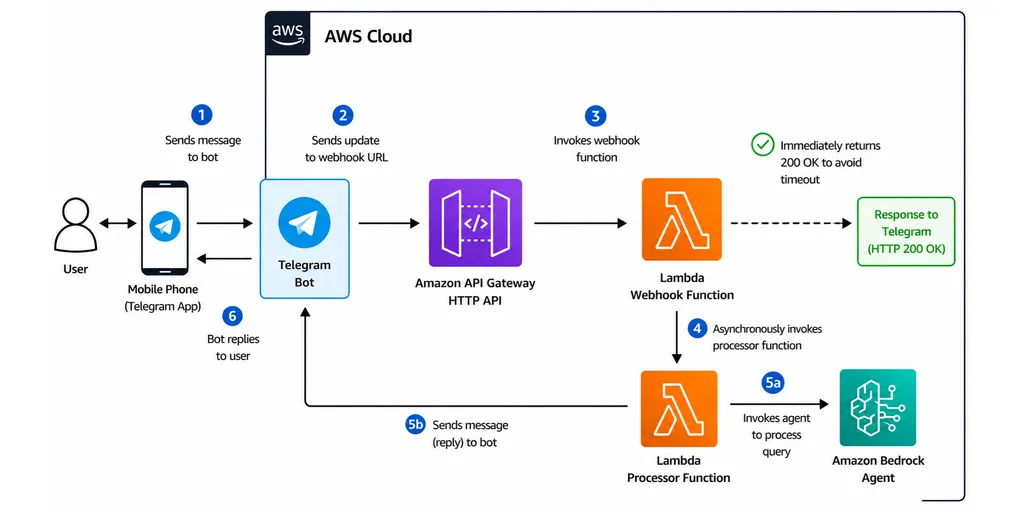
How to Deploy an Amazon Bedrock Agent as a Telegram Bot in 4 Steps
School starts in just two weeks, and parents (myself included) will soon be asking lots of questions - many of which already have answers buried in the student handbook or other school documents.
That gave me a fun weekend project idea. 😄
As an AI practitioner, I built an AI-powered Telegram chatbot that parents can access right from their mobile phones. It uses the school’s official documents as its knowledge base, allowing parents to ask questions in plain English and get answers anytime, 24/7.
It was a fun way to combine AI, automation, and a real-world problem that many parents face every school year. 🤓
Prerequisites
- An AWS account with Amazon Bedrock access enabled in your chosen region
- A Telegram account
Steps
-
Create the Telegram bot.
- Follow the guide on https://core.telegram.org/bots/features#botfather.
- Save the bot token. You will need it later.
-
Create the Amazon Bedrock agent.
-
S3 bucket
-
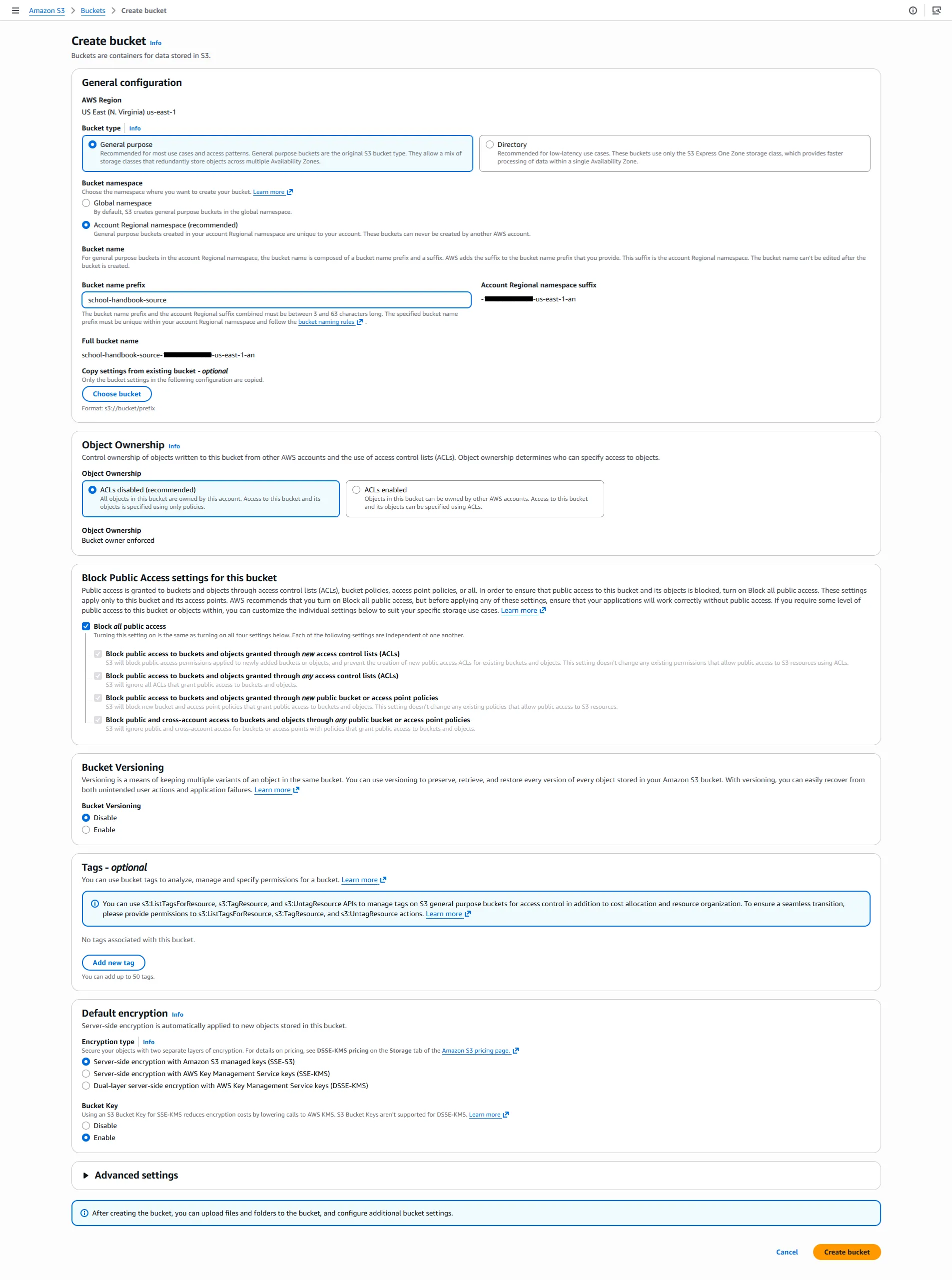
Create the bucket.
-
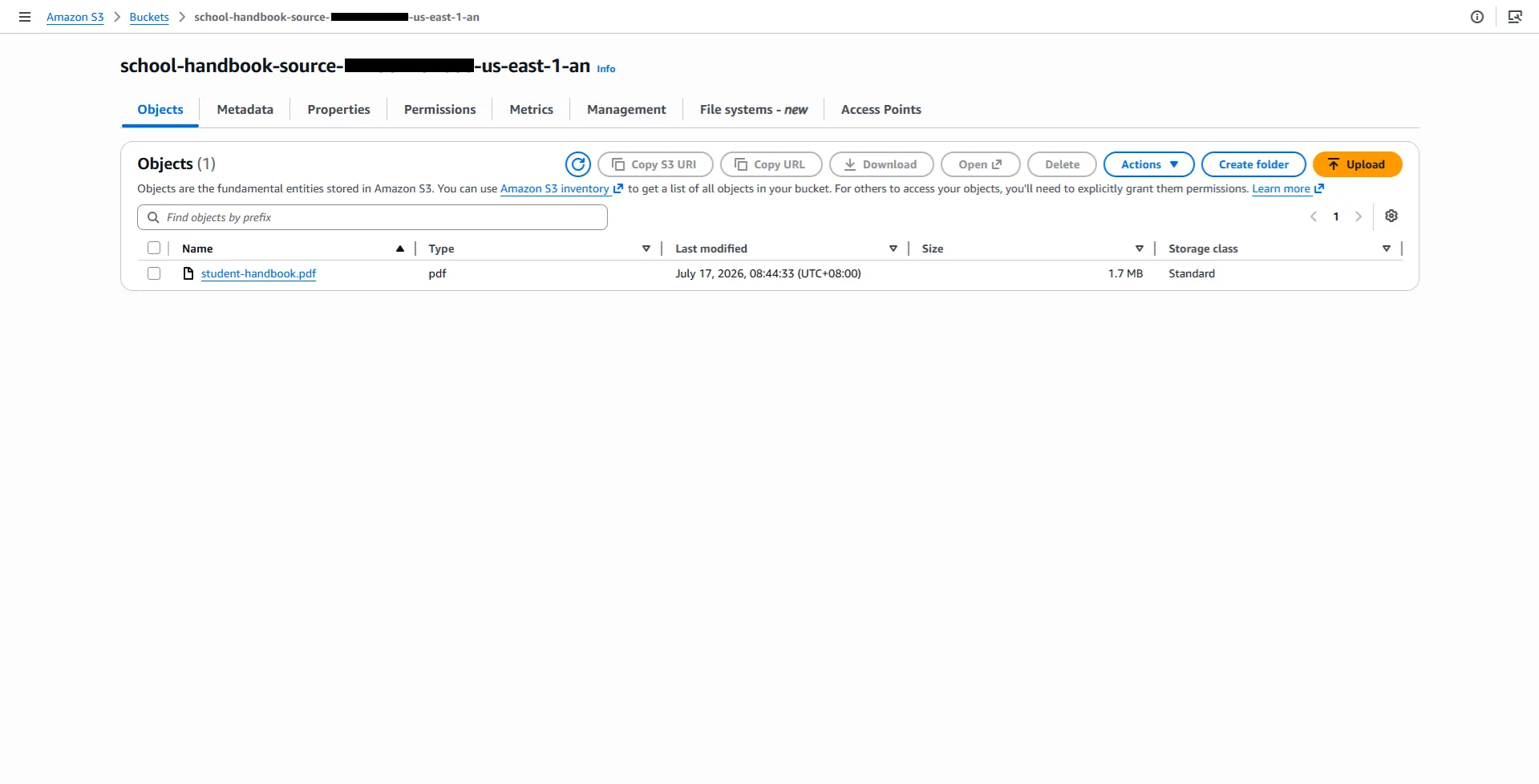
Upload documents to it.
-
-
Amazon Bedrock knowledge base
-
Create the knowledge base.
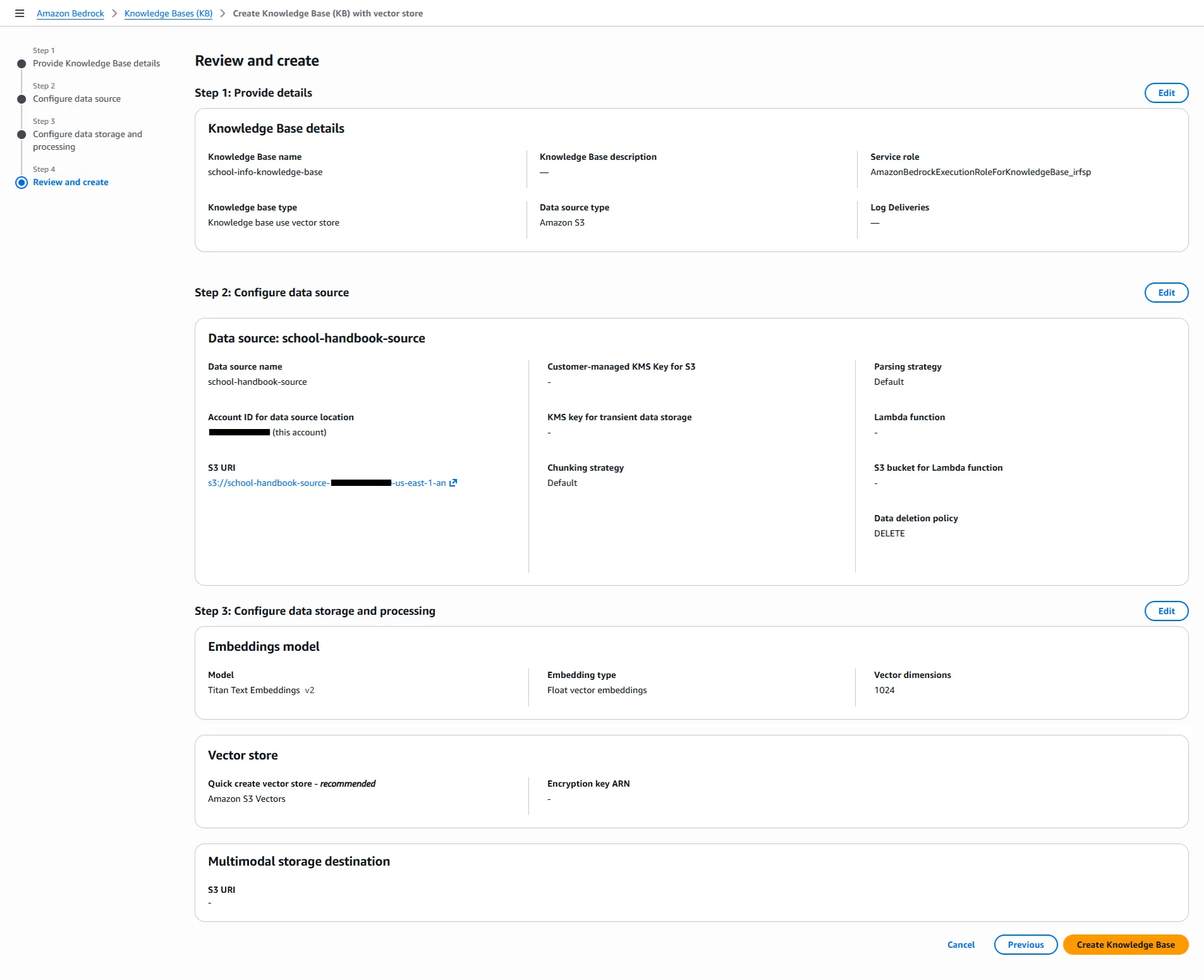
Make sure that you select these values:
- Data source type: Amazon S3
- S3 URI: the bucket that you created earlier
- Parsing strategy: Amazon Bedrock default parser
- Embeddings model: Titan Text Embeddings V2
- Vector store type: Amazon S3 Vectors
-
Sync its data source.
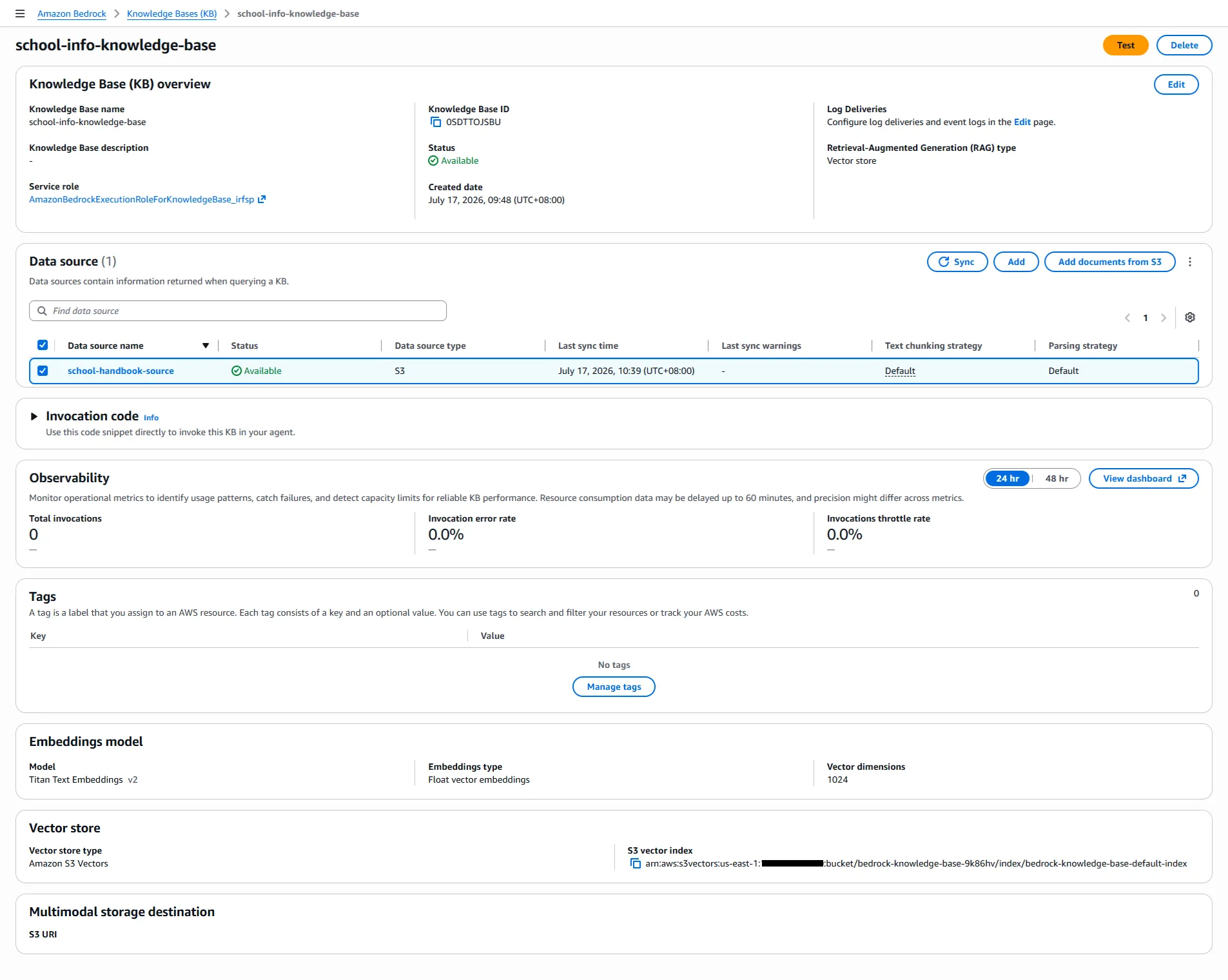
-
-
Amazon Bedrock agent
-
Create the agent.
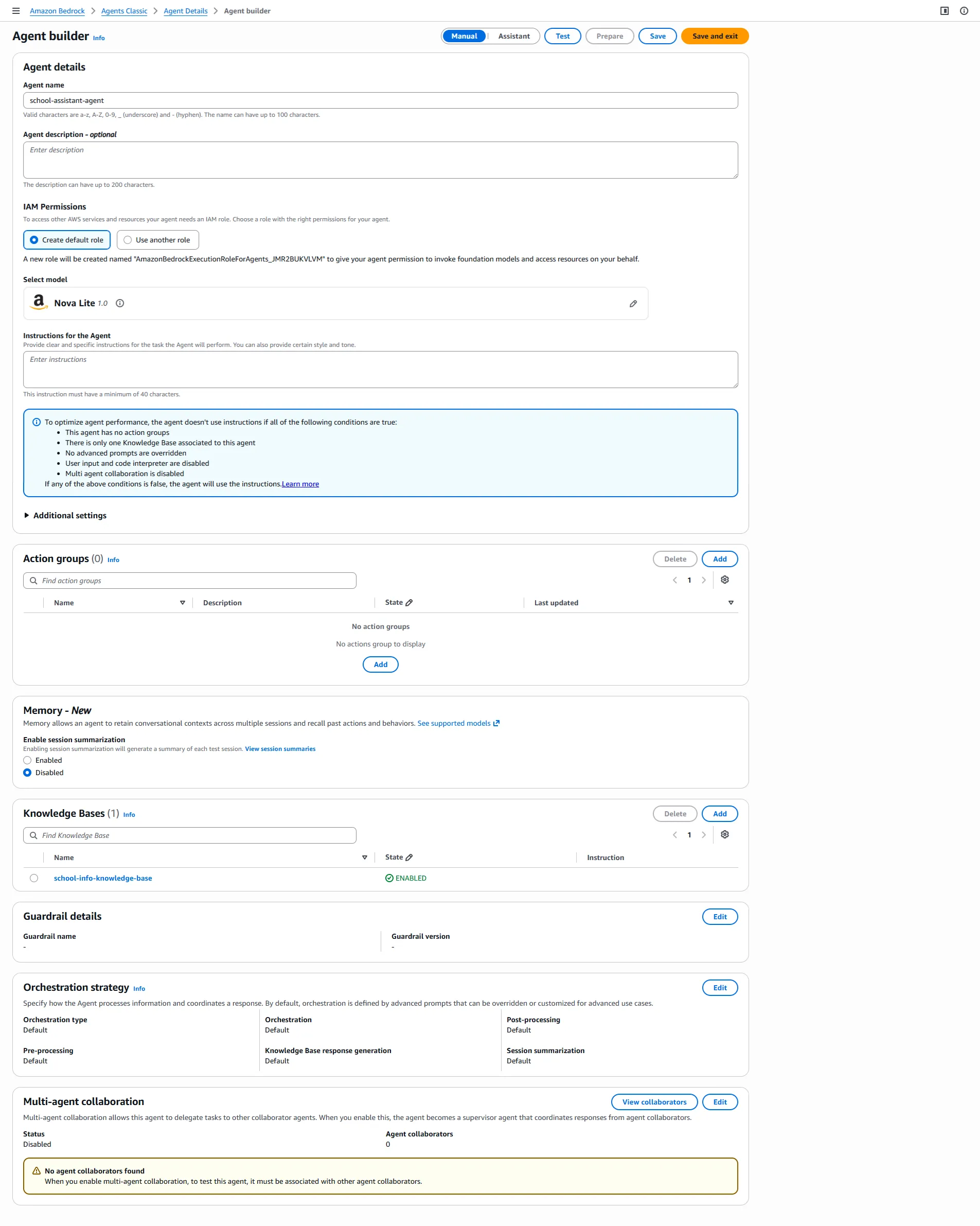
Make sure that you select these values:
- Model: Nova Lite
- Knowledge base: the knowledge base that you created earlier
Save the agent id. You will need it later.
-
-
-
Create the API.
-
Lambda functions
-
Create the processor function.
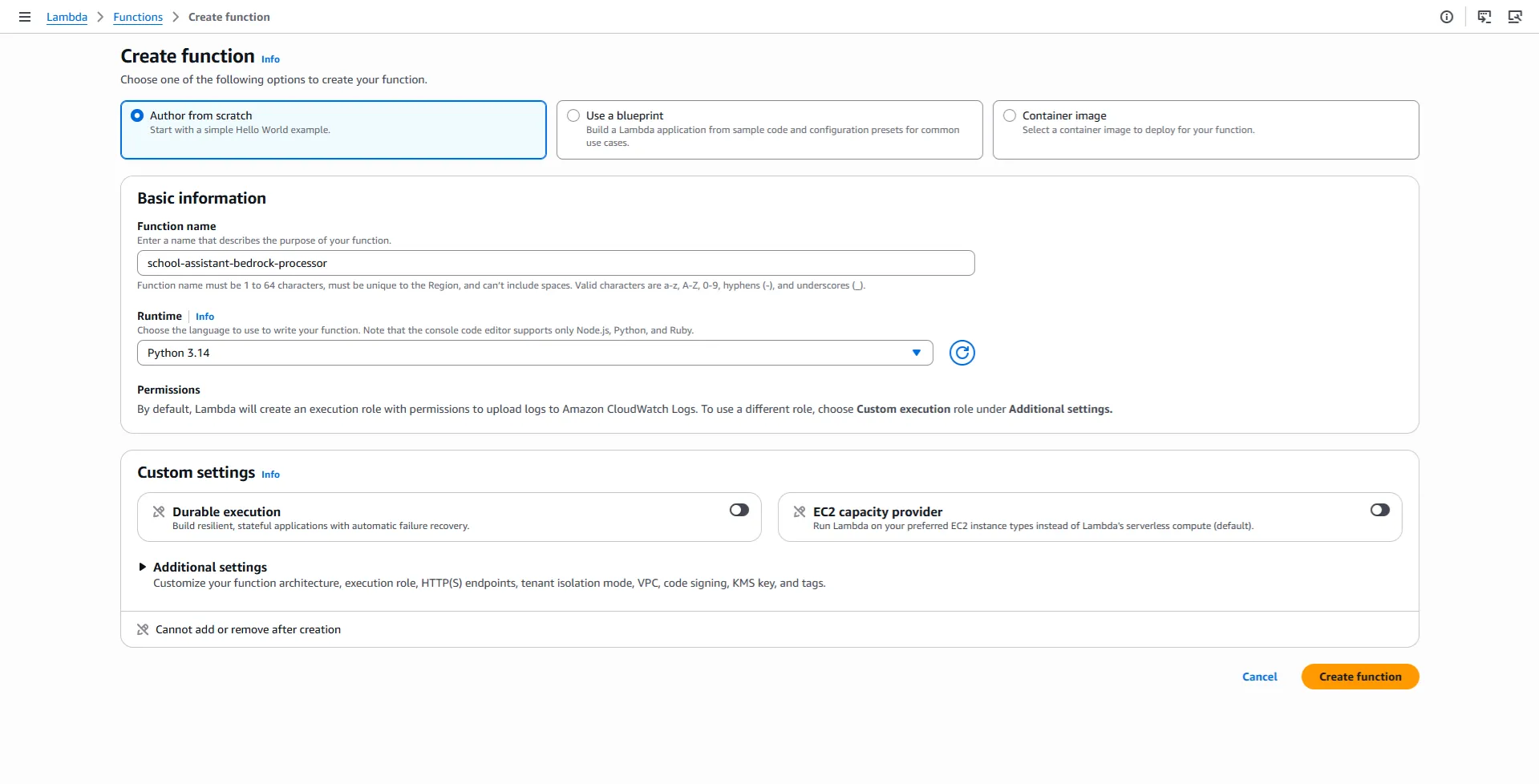
Copy and paste this code to the processor function:
    import json
    import os
    import urllib.request

    import boto3

    bedrock_client = boto3.client("bedrock-agent-runtime")


    def lambda_handler(event, context):
        BEDROCK_AGENT_ID = os.environ("BEDROCK_AGENT_ID")
        BEDROCK_AGENT_ALIAS_ID = os.environ("BEDROCK_AGENT_ALIAS_ID")
        chat_id = event["chat_id"]
        input_text = event["query"]

        response = bedrock_client.invoke_agent(
            agentId=BEDROCK_AGENT_ID,
            agentAliasId=BEDROCK_AGENT_ALIAS_ID,
            sessionId=str(chat_id),
            inputText=input_text,
        )
        completion = ""
        for event in response.get("completion"):
            chunk = event.get("chunk")
            if chunk:
                completion += chunk.get("bytes").decode("utf-8")
        send_telegram_message(chat_id, completion)


    def send_telegram_message(chat_id, text):
        token = os.environ["TELEGRAM_BOT_TOKEN"]
        url = f"https://api.telegram.org/bot{token}/sendMessage"
        data = {"chat_id": chat_id, "text": text}
        req = urllib.request.Request(
            url,
            data=json.dumps(data).encode('utf-8'),
            headers={"Content-Type": "application/json"},
        )
        urllib.request.urlopen(req)
Increase the timeout from 3 seconds to 5 seconds (or more).
Allow the processor function to invoke the agent.
    {
        "Version": "2012-10-17",
        "Statement": [
            {
                "Effect": "Allow",
                "Action": "logs:CreateLogGroup",
                "Resource": "arn:aws:logs:us-east-1:<AWS_ACCOUNT_ID>:*"
            },
            {
                "Effect": "Allow",
                "Action": [
                    "logs:CreateLogStream",
                    "logs:PutLogEvents"
                ],
                "Resource": [
                    "arn:aws:logs:us-east-1:<AWS_ACCOUNT_ID>:log-group:/aws/lambda/school-assistant-bedrock-processor:*"
                ]
            },
            {
                "Effect": "Allow",
                "Action": "bedrock:InvokeAgent",
                "Resource": "arn:aws:bedrock:us-east-1:<AWS_ACCOUNT_ID>:agent-alias/<BEDROCK_AGENT_ID>/TSTALIASID"
            }
        ]
    }
Set these environment variables in the processor function:
- BEDROCK_AGENT_ID: the id of the agent that you created earlier
- BEDROCK_AGENT_ALIAS_ID: TSTALIASID
- TELEGRAM_BOT_TOKEN: the token of the bot that you created earlier
Note:
TSTALIASIDis the built-in test alias for Amazon Bedrock agents. It is perfect for this tutorial. For a production deployment, you would create a named alias and use its alias ID instead. -
Create the webhook function.
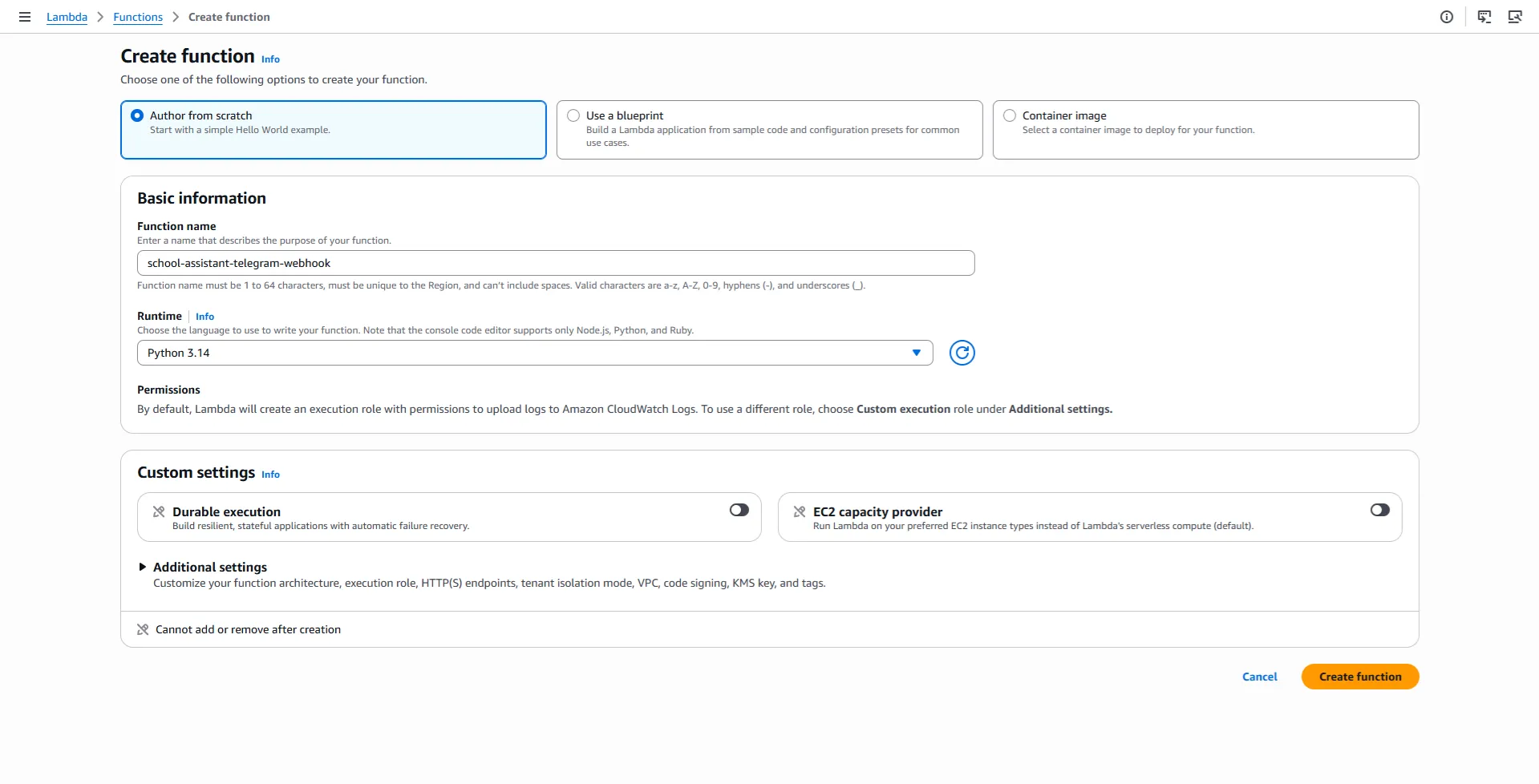
Copy and paste this code to the webhook function:
    import json
    import os
    import urllib.request

    import boto3

    lambda_client = boto3.client("lambda")


    def lambda_handler(event, context):
        body = json.loads(event["body"])
        chat_id = body["message"]["chat"]["id"]
        text = body["message"]["text"]
        send_telegram_action(chat_id, "typing")
        payload = {"chat_id": chat_id, "query": text}
        lambda_client.invoke(
            FunctionName=os.environ["PROCESSOR_FUNCTION_ARN"],
            InvocationType="Event",
            Payload=json.dumps(payload),
        )
        return {"statusCode": 200, "body": json.dumps("OK")}


    def send_telegram_action(chat_id, action):
        token = os.environ["TELEGRAM_BOT_TOKEN"]
        url = f"https://api.telegram.org/bot{token}/sendChatAction"
        data = {"chat_id": chat_id, "action": action}
        req = urllib.request.Request(
            url,
            data=json.dumps(data).encode('utf-8'),
            headers={"Content-Type": "application/json"},
        )
        urllib.request.urlopen(req)
Allow the webhook function to invoke the processor function.
    {
        "Version": "2012-10-17",
        "Statement": [
            {
                "Effect": "Allow",
                "Action": "logs:CreateLogGroup",
                "Resource": "arn:aws:logs:us-east-1:<AWS_ACCOUNT_ID>:*"
            },
            {
                "Effect": "Allow",
                "Action": [
                    "logs:CreateLogStream",
                    "logs:PutLogEvents"
                ],
                "Resource": [
                    "arn:aws:logs:us-east-1:<AWS_ACCOUNT_ID>:log-group:/aws/lambda/school-assistant-telegram-webhook:*"
                ]
            },
            {
                "Effect": "Allow",
                "Action": "lambda:InvokeFunction",
                "Resource": "arn:aws:lambda:us-east-1:<AWS_ACCOUNT_ID>:function:school-assistant-bedrock-processor"
            }
        ]
    }
Set these environment variables in the webhook function:
- TELEGRAM_BOT_TOKEN: the token of the bot that you created earlier
- PROCESSOR_FUNCTION_ARN: the ARN of the processor function that you created earlier
-
-
API Gateway API
-
Create the HTTP API.
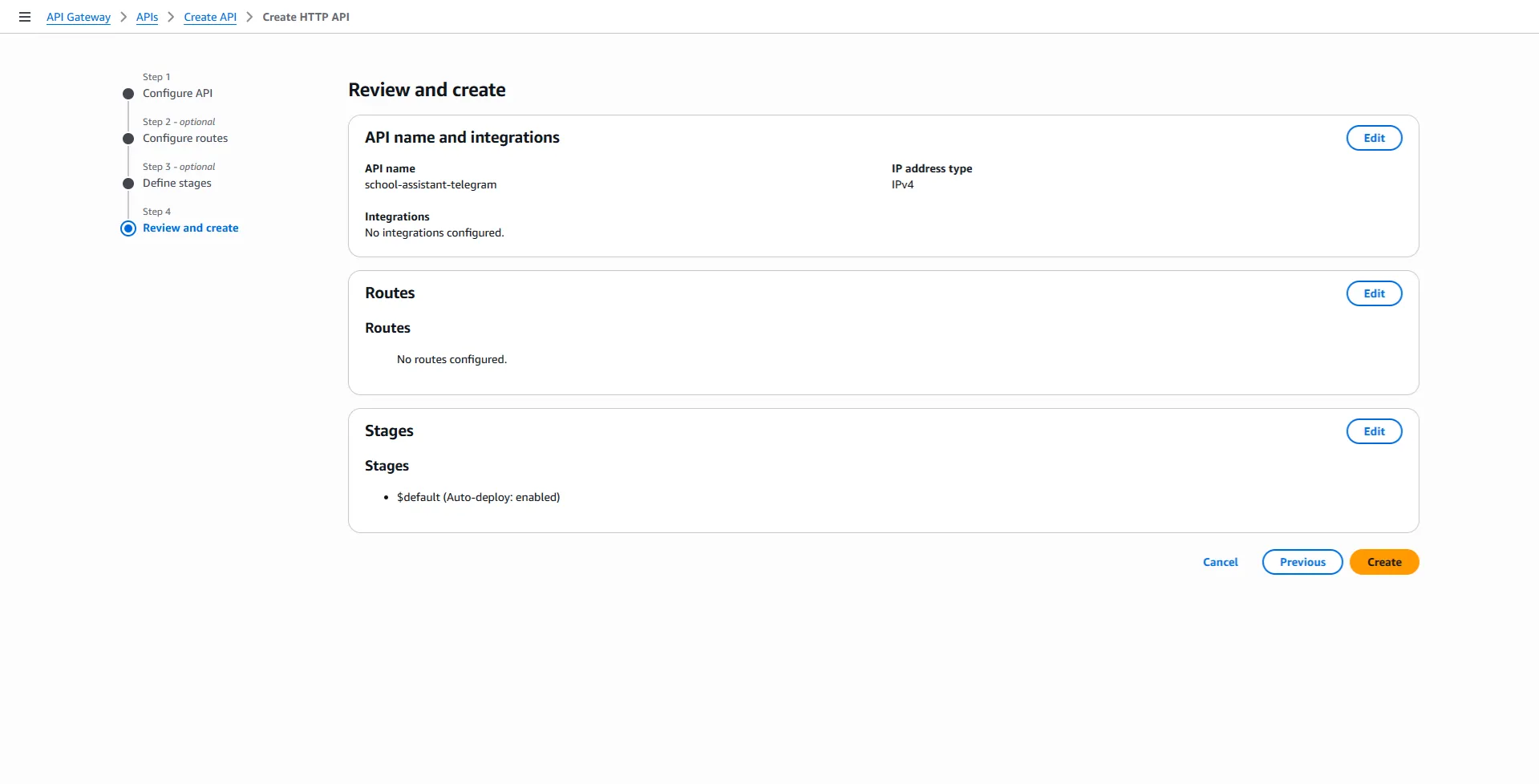
-
Create the route.
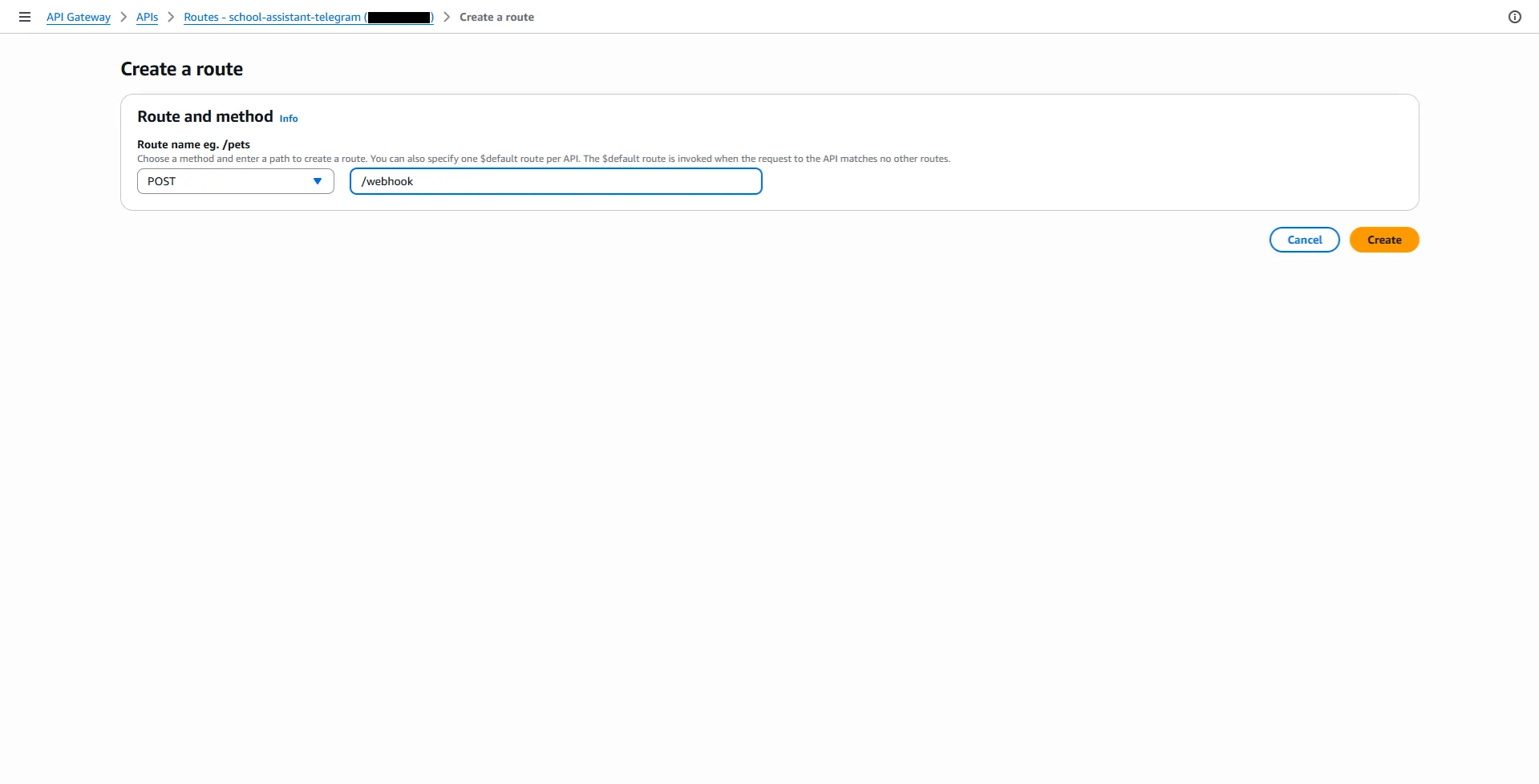
-
Create the integration.
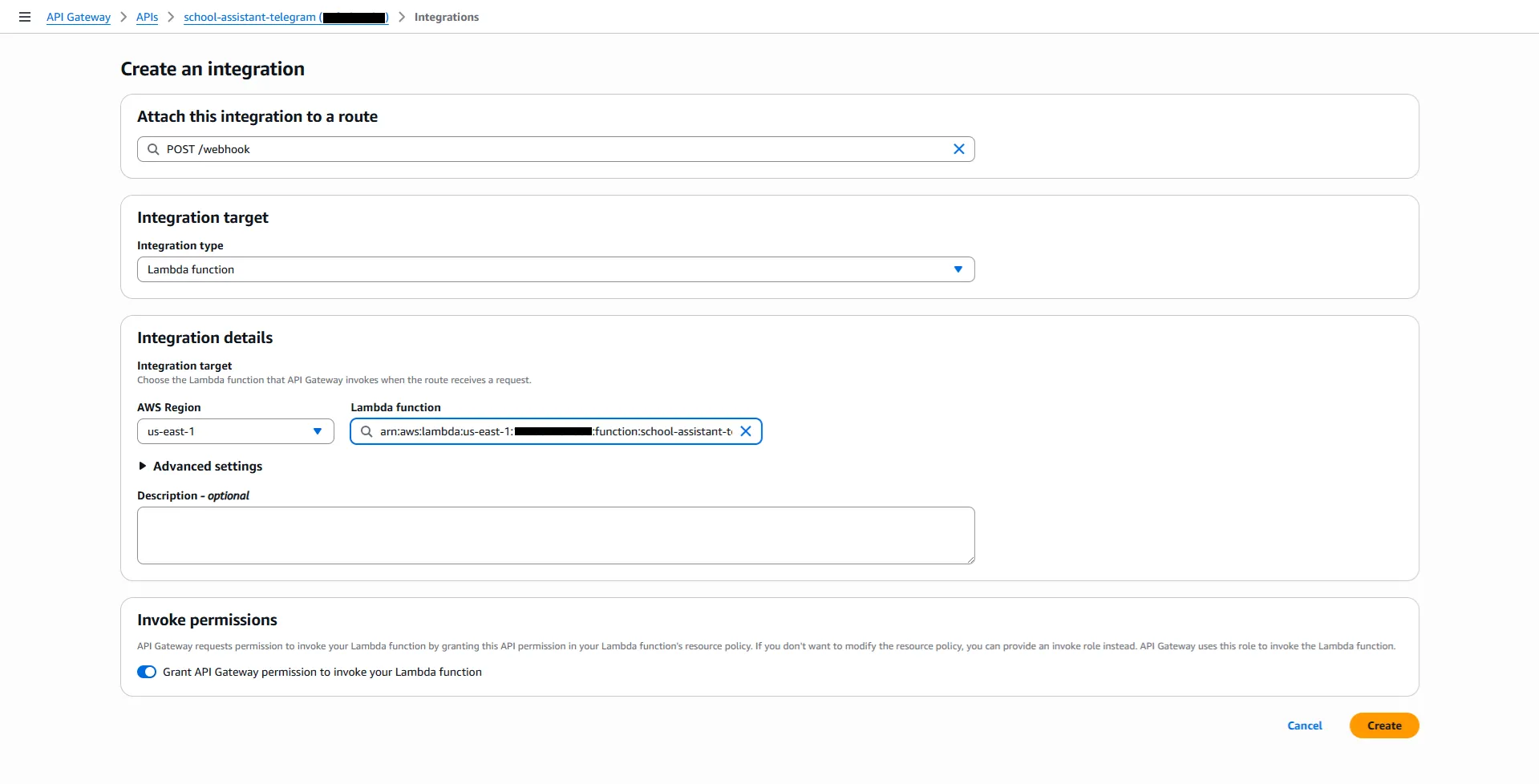
Make sure that you select this value:
- Lambda function: the webhook function that you created earlier
-
-
-
Connect the Telegram bot to the Amazon Bedrock agent.
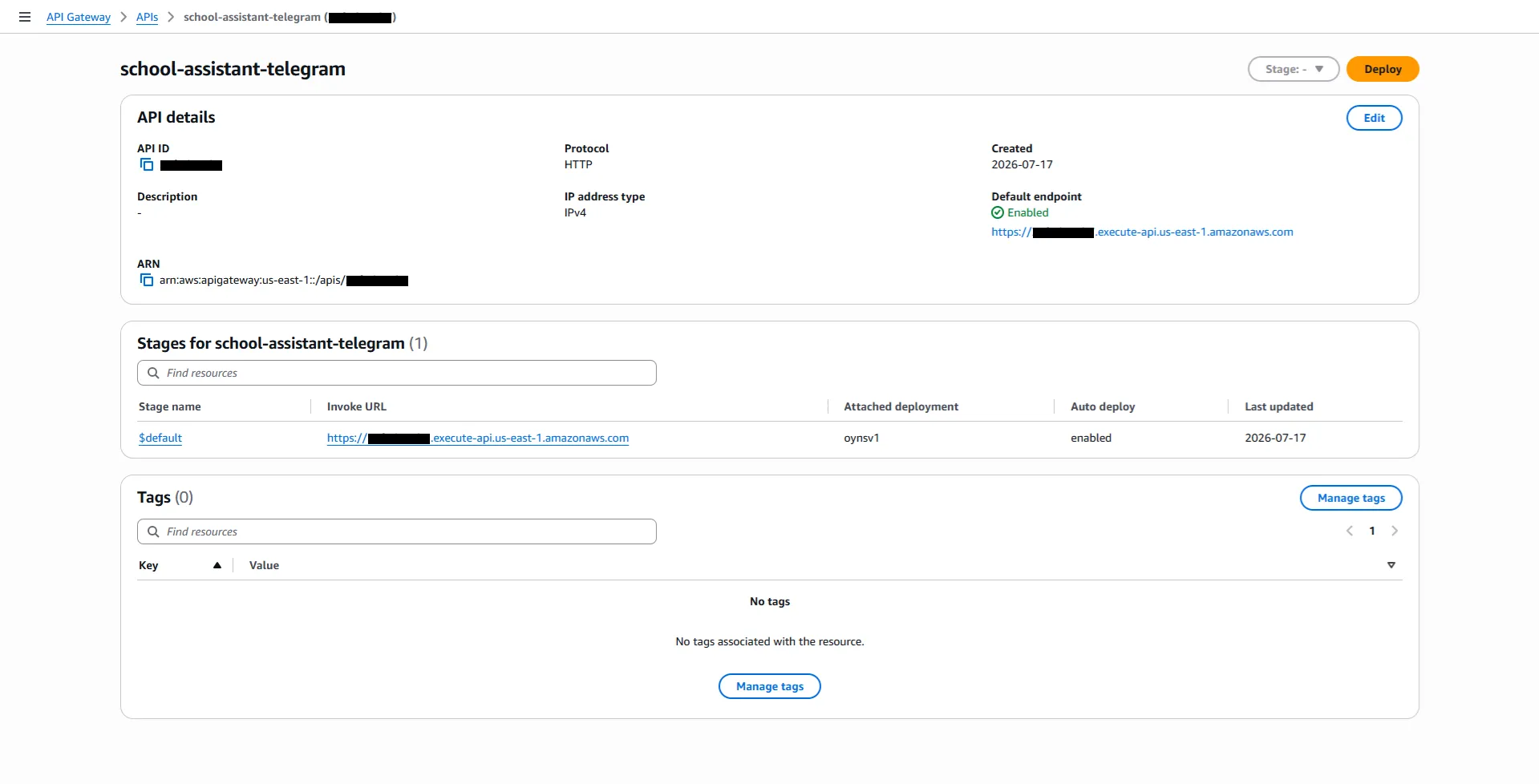
Set the webhook using the Invoke URL from your API Gateway stage:
curl https://api.telegram.org/bot<TELEGRAM_BOT_TOKEN>/setWebhook?url=<API_ENDPOINT>
Congratulations! You can start chatting with your bot.